

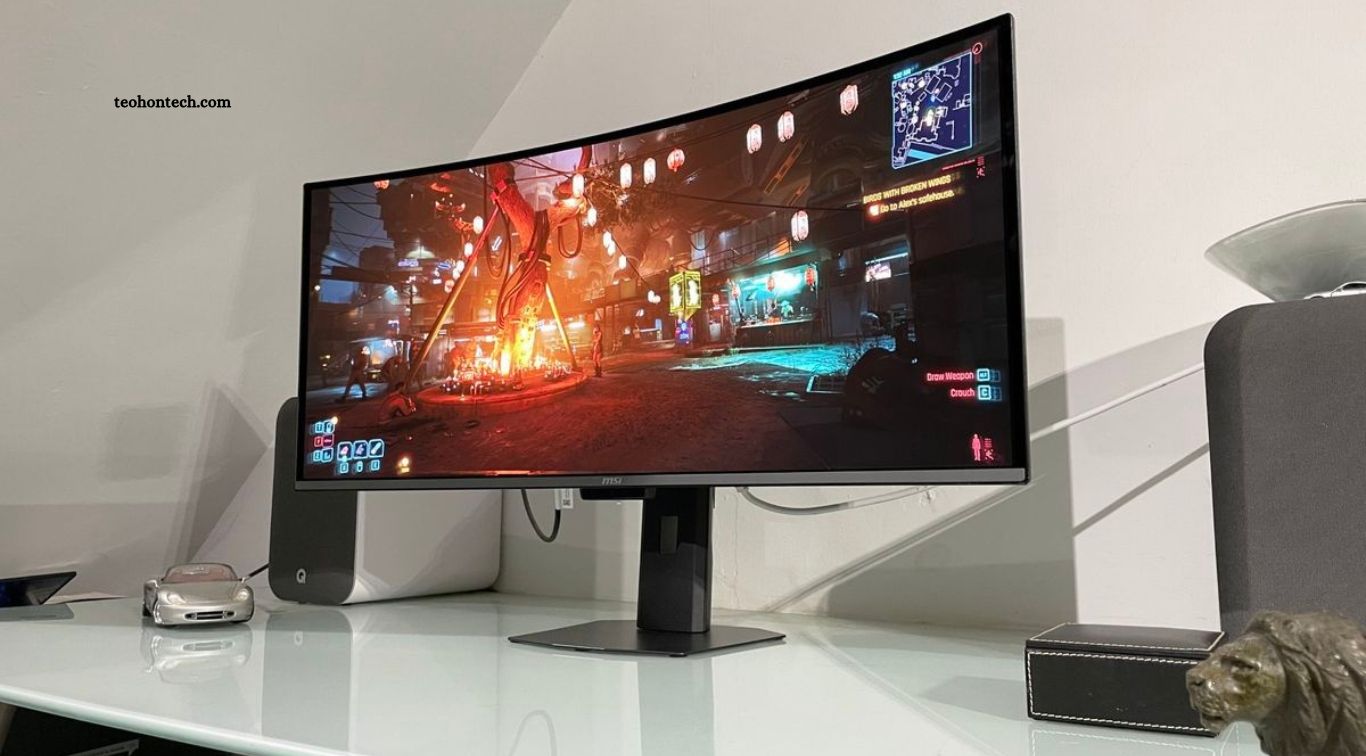
Choosing the right monitor can make a major difference in productivity, entertainment, and creative work. Whether you work remotely, enjoy competitive gaming, edit photos, or create digital content, a good display improves your everyday computer experience. Modern monitors offer different screen sizes, resolutions, refresh rates, color technologies, and connectivity options designed for specific needs.
The best monitor depends on how you plan to use it and how much you want to spend. Remote workers may prioritize screen space and eye comfort, while gamers often look for high refresh rates and fast response times. Designers and video editors usually need accurate colors and detailed images. Understanding these features can help you choose a monitor that delivers the right balance of performance, comfort, and value.
Read More: What Makes a Good Power Bank for Fast-Charging Phones?
What to Consider Before Buying a Monitor
Before purchasing a monitor, consider its primary purpose, screen size, resolution, panel type, refresh rate, and available connections. A display designed for office productivity may not offer the gaming performance or color accuracy required for specialized creative work. Think about your daily tasks and the applications you use most frequently before comparing different models.
Your workspace and budget also matter. A large monitor may improve multitasking, but it needs enough desk space and a suitable viewing distance. Check whether the display supports height adjustment, tilt, swivel, and VESA mounting if you plan to use a monitor arm. Choosing the right combination of features can help you avoid paying extra for specifications you rarely need.
Best Monitor Features for Remote Work
Remote workers often spend several hours reading documents, attending video meetings, browsing websites, and managing multiple applications. A monitor with a 27-inch screen and QHD resolution can provide a comfortable balance between workspace and image clarity. Larger 32-inch displays may offer additional room for spreadsheets, editing tools, and side-by-side windows.
Ergonomic adjustments are equally important for a productive home office. Look for a monitor with height, tilt, and swivel adjustments, along with flicker-reduction technology and a low-blue-light mode. USB-C connectivity can simplify desk setups by allowing compatible laptops to connect through one cable for video, data, and power delivery. Check the monitor’s actual charging capacity before relying on it to power your laptop.
Best Gaming Monitor Features for Smooth Performance
Gaming monitors are designed to deliver responsive visuals and smooth motion during fast-paced gameplay. Refresh rate is one of the most important specifications to consider. Standard 60Hz displays refresh 60 times per second, while 144Hz, 165Hz, 240Hz, and higher refresh rates can provide smoother movement when supported by your computer and games.
Response time, adaptive sync, and input lag also influence gaming performance. A fast response time can help reduce motion blur, while technologies such as AMD FreeSync and NVIDIA G-SYNC compatibility can reduce screen tearing under supported conditions. Competitive players may prefer a 24-inch or 27-inch monitor with a high refresh rate, while immersive gaming setups may benefit from larger curved displays or ultrawide screens.
Best Monitor Features for Creative Projects
Creative professionals need monitors that reproduce colors accurately and display fine details clearly. Photographers, graphic designers, illustrators, and video editors should consider displays with strong color coverage, reliable color accuracy, and high resolution. A 4K monitor can provide additional workspace and detailed images, making it useful for editing high-resolution photographs and video footage.
Panel quality and calibration options also matter for professional projects. IPS displays are popular for their viewing angles and consistent image quality, while some OLED monitors offer excellent contrast and deep blacks. Look for specifications such as sRGB, Adobe RGB, or DCI-P3 color coverage according to your workflow. For color-critical work, consider a hardware calibration-compatible display and use a colorimeter when accurate results are essential.
Dell UltraSharp Monitors for Professional Productivity
The Dell UltraSharp series is worth considering for remote workers and professionals who spend long hours working with documents, spreadsheets, and creative applications. Many models offer high-resolution panels, ergonomic stands, and USB-C connectivity. Certain versions also include built-in hubs that help reduce cable clutter and connect compatible accessories directly to the monitor.
Different UltraSharp models target different professional needs, so compare their resolution, color coverage, connectivity, and power delivery before buying. A 27-inch QHD or 4K version may suit a home office, while larger displays can provide more room for complex workflows. These monitors are generally more focused on productivity and image quality than competitive gaming performance.
LG UltraGear Monitors for Gaming
LG UltraGear monitors are designed for gamers who want smooth visuals, responsive performance, and modern display technology. The lineup includes different screen sizes, resolutions, refresh rates, and panel types. Depending on the model, users can find high-refresh-rate displays suitable for competitive games as well as larger screens designed for immersive entertainment.
Before choosing an UltraGear monitor, compare its refresh rate, response time, adaptive sync support, and resolution. A high-refresh-rate QHD model can be a strong option for many gaming PCs, while 4K versions may suit users with powerful graphics hardware. Check the exact specifications because performance varies considerably across models within the same product family.
ASUS ProArt Monitors for Creative Professionals
ASUS ProArt monitors are designed with creative professionals in mind. Many models focus on color accuracy, wide color coverage, detailed resolution, and calibration features. These displays can support workflows involving photography, graphic design, illustration, and video editing, where consistent color reproduction is more important than extremely high gaming refresh rates.
When comparing ProArt models, review the supported color spaces, factory calibration information, panel resolution, and available connections. Some versions include USB-C connectivity and additional workstation features, while others offer more specialized professional display capabilities. Choose a model that matches your software, creative requirements, and preferred screen size instead of assuming every ProArt monitor has identical features.
Samsung Odyssey Monitors for Immersive Gaming
Samsung Odyssey monitors are popular among gamers who enjoy immersive displays and advanced screen technology. The range includes flat and curved monitors, ultrawide models, and displays with different refresh rates and resolutions. A curved screen can create a more immersive viewing experience, particularly on larger ultrawide displays used for racing games, simulations, and entertainment.
The best Odyssey model depends on your gaming setup and available space. Check whether your graphics card can handle the monitor’s resolution and refresh rate before purchasing. Also consider screen curvature, panel technology, connectivity, and desk dimensions. Some models are designed for premium gaming experiences, while more affordable options may provide a better balance for everyday use.
BenQ Monitors for Office Work and Content Creation
BenQ offers monitors for different professional and creative workflows, including office productivity, photography, and video editing. Some models emphasize eye-comfort features, while others focus on color performance and specialized tools for designers. This variety makes the brand worth considering when you need a display that supports long working sessions or specific creative applications.
Compare each model’s panel technology, resolution, color specifications, stand adjustments, and connectivity. BenQ’s creative-focused displays may suit photographers and designers, while office-oriented models can provide practical features for everyday work. Consider the type of content you create and whether you need professional color calibration before deciding which model offers the best value.
Ultrawide Monitors for Multitasking and Productivity
Ultrawide monitors provide additional horizontal screen space, making them useful for remote workers, programmers, video editors, and multitaskers. A 21:9 display can allow multiple windows to remain visible without requiring two separate monitors. This setup is especially helpful when comparing documents, working with timelines, monitoring dashboards, or keeping communication tools open beside a main application.
However, ultrawide monitors require more desk space and may not suit every software workflow. Check the resolution, curvature, refresh rate, and compatibility with your computer. Some games and applications may not fully support ultrawide aspect ratios, while certain video formats may display black bars. Consider a 34-inch ultrawide display if you want a wider workspace without moving to a very large 4K screen.
4K vs QHD Monitors: Which Resolution Is Better?
4K monitors provide 3,840 × 2,160 pixels, offering greater detail than QHD displays with 2,560 × 1,440 pixels. This extra resolution can benefit photo editing, video production, design projects, and users who prefer sharper text and images. A 4K display is particularly useful when working with high-resolution media, although the best experience also depends on screen size, scaling, and viewing distance.
QHD monitors often provide an excellent balance between image quality and performance. They require less graphics processing power than 4K displays at the same refresh rate, which can make them attractive for gaming and general productivity. If you mainly browse the web, write documents, or play games, QHD may offer better value. Creative professionals working with detailed images may prefer 4K when their budget and computer hardware support it.
How to Choose the Right Monitor for Your Budget
Your budget should reflect the features you actually need rather than the highest specifications available. Entry-level monitors can be suitable for browsing, writing, and basic office tasks. Mid-range displays often provide QHD resolution, better ergonomic adjustments, improved color performance, and higher refresh rates. Premium monitors may include OLED panels, advanced color features, 4K resolution, or extremely high refresh rates.
Compare several models in the same price category and check their warranty, connectivity, stand quality, and panel specifications. Avoid paying extra for gaming features if your main purpose is office work, or buying a professional color display if you only need a screen for everyday browsing. A monitor that matches your daily tasks can provide better long-term value than one with impressive specifications you rarely use.
Frequently Asked Questions
What is the best monitor size for remote work?
A 27-inch monitor is a popular choice because it offers a comfortable workspace without taking up excessive desk space.
Is a 4K monitor worth buying?
Yes, especially for creative projects and detailed visuals. QHD may offer better value for general work and gaming.
Which refresh rate is best for gaming?
A 144Hz or 165Hz monitor is a strong option for many gamers, while competitive players may prefer higher rates.
Are ultrawide monitors good for productivity?
Yes. Their wider screens make multitasking and managing multiple applications easier.
Which monitor panel is best for photo editing?
A high-quality IPS or suitable OLED display with accurate colors can work well for photo editing.
Should I buy a curved or flat monitor?
Curved monitors can improve immersion on larger screens, while flat monitors are practical for general work and design tasks.
Conclusion
The best monitor for remote work, gaming, and creative projects depends on your priorities, computer hardware, workspace, and budget. Dell UltraSharp and BenQ displays offer options for professional productivity, while ASUS ProArt models target creative workflows. LG UltraGear and Samsung Odyssey monitors provide choices for gaming enthusiasts, and ultrawide displays can improve multitasking. Compare resolution, refresh rate, color accuracy, connectivity, and ergonomic features before making a decision.

1 Comment
Pingback: Before You Buy: 8 Features Every Laptop Shopper Should Check - TeohOnTech