

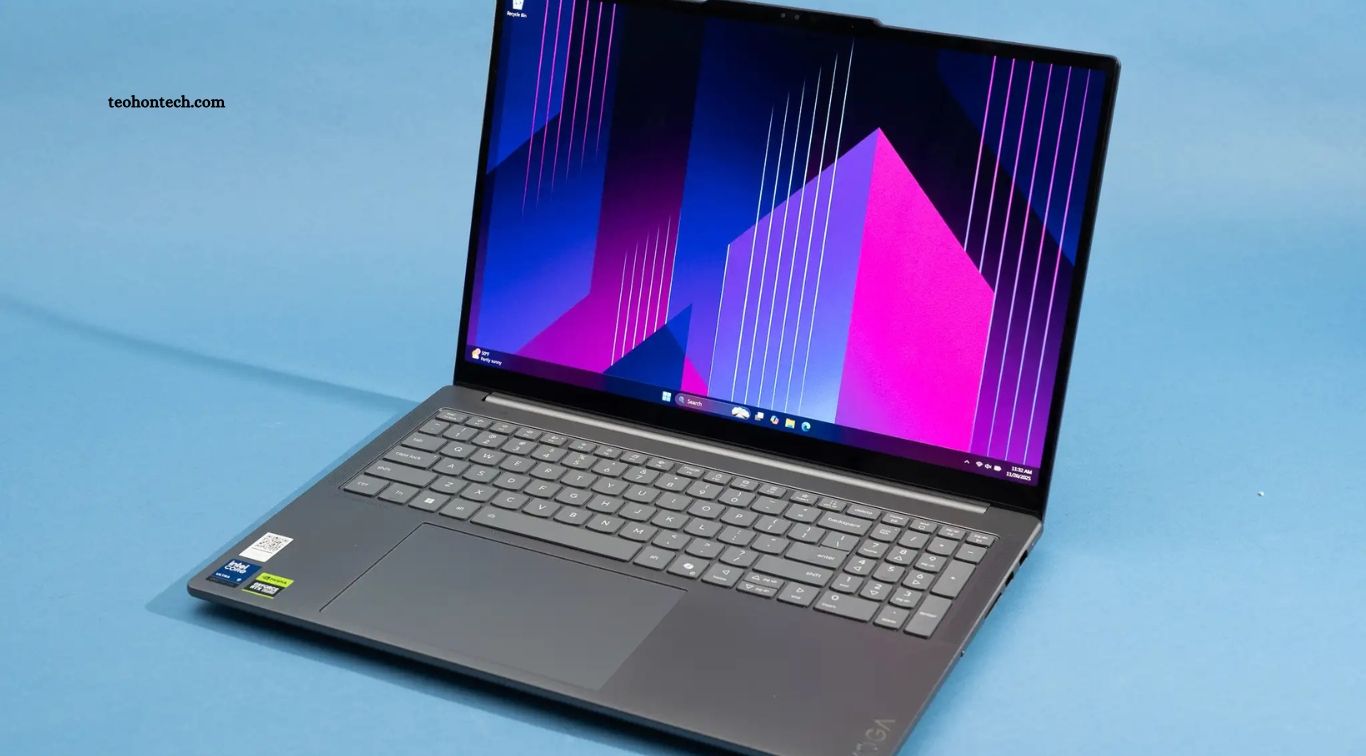
Choosing the best laptop for multitasking, editing, and everyday work can make a significant difference in productivity. Whether you manage multiple browser tabs, edit photos and videos, attend online meetings, or handle office tasks, the right laptop should deliver reliable performance, comfortable usability, and sufficient battery life. With so many models available, understanding the specifications that matter most can help you make a smarter purchase.
The ideal laptop depends on your workload, budget, and preferred operating system. Students and office professionals may need a lightweight device for daily tasks, while content creators benefit from stronger processors, additional memory, and high-quality displays. This guide explains the essential laptop features to consider, highlights popular laptop families, and offers practical advice for finding a device that fits your needs.
Read More: How to Pick a Smartphone That Lasts for Years
What Makes a Laptop Good for Multitasking?
A good multitasking laptop can run several applications smoothly without frequent slowdowns. A modern processor, sufficient RAM, and a fast solid-state drive (SSD) are the main components to consider. These features help users switch between browser tabs, office software, communication apps, and creative programs without unnecessary delays.
For most users, 16GB of RAM is a sensible starting point for multitasking and everyday productivity. Users working with large spreadsheets, virtual machines, complex creative projects, or many demanding applications may benefit from 32GB or more. A recent Intel Core Ultra, AMD Ryzen, or Apple silicon processor can also provide strong performance, although the best choice depends on the specific chip, power limits, and software requirements.
Best Laptop Features for Photo and Video Editing
Photo and video editing require more than basic computing power. A capable processor helps with image processing, exports, and timeline operations, while a suitable graphics processor can accelerate supported creative tasks. Applications such as Adobe Photoshop, Lightroom, and Premiere Pro may benefit from additional memory and graphics performance, particularly when handling large files, complex effects, or high-resolution footage.
Display quality is equally important for creative work. Look for a screen with accurate colors, suitable brightness, and a resolution that keeps images and timelines clear. An IPS or OLED panel can provide a good viewing experience, but specifications vary between models. For serious color-sensitive work, check measured color accuracy and color-space coverage instead of relying only on marketing claims. A 1TB SSD can also be useful for storing large projects, although external drives provide additional flexibility.
Apple MacBook Air: Best for Everyday Productivity
The is a strong option for students, writers, professionals, and users who value portability. Apple silicon models are designed to deliver responsive performance while using relatively little power. This makes the MacBook Air suitable for everyday multitasking, document editing, web browsing, online meetings, and many photo-editing workflows.
Its lightweight design, quality display, and long battery life make it convenient for people who work in different locations. However, the Air does not include a built-in fan, so sustained heavy workloads can cause performance to decrease as the system manages heat. Before purchasing, compare memory and storage configurations carefully because these components generally cannot be upgraded later. Users who depend on Windows-only applications should also confirm software compatibility.
Apple MacBook Pro: Best for Demanding Creative Work
This is designed for users who regularly perform demanding creative or professional tasks. Depending on configuration, it can offer stronger sustained processing performance, advanced graphics capabilities, high-quality displays, and additional connectivity compared with the MacBook Air. These advantages can be useful for video editing, music production, software development, and complex creative projects.
A MacBook Pro is worth considering if your work includes frequent high-resolution video exports, large photo libraries, or professional applications that benefit from powerful hardware. However, not every user needs to spend more on a professional laptop. For web browsing, writing, spreadsheets, and light editing, a MacBook Air may offer better value. Choose a configuration based on your actual workload rather than automatically buying the most powerful model.
Dell XPS: Best for Premium Windows Productivity
The family is known for premium designs, high-quality displays, and configurations aimed at professionals and demanding everyday users. Depending on the model, XPS laptops can provide modern Intel processors, generous memory options, fast storage, and displays suited to office work and creative tasks. Windows compatibility also makes them practical for users who rely on a broad range of desktop applications.
An XPS laptop may suit professionals who want a compact device for multitasking, presentations, photo editing, and general productivity. Some configurations offer high-resolution OLED displays, while others prioritize battery efficiency or lower cost. Compare the exact model’s processor, ports, cooling system, and screen specifications before buying. Premium pricing does not guarantee that every configuration is the best choice for your particular workload.
Lenovo ThinkPad: Best for Business and Office Work
The range is a popular choice for professionals who prioritize productivity, keyboard comfort, and business-oriented features. Many ThinkPad models offer practical port selections, security options, and configurations suitable for managing documents, spreadsheets, meetings, research, and multiple applications. Different series target different needs, from portable business use to more demanding workstation tasks.
ThinkPads are particularly worth considering for writers, business owners, remote workers, and users who spend long hours typing. Depending on the model, memory may be upgradeable, which can extend the laptop’s useful life. However, specifications and build quality vary throughout the range. Compare display brightness, battery capacity, processor performance, and warranty coverage instead of assuming every ThinkPad offers the same experience.
ASUS Zenbook: Best for Portable Multitasking
The family offers lightweight laptops designed for productivity and travel. Depending on the configuration, Zenbook models can combine modern processors, fast SSD storage, quality displays, and compact designs. Some versions feature OLED panels that provide rich contrast and vibrant colors, making them appealing to users who work with photos, presentations, and media.
A Zenbook can be a good fit for students, freelancers, and professionals who need a portable laptop for multitasking and occasional creative work. Before choosing a model, confirm its memory capacity, available ports, battery performance, and cooling design. Certain thin configurations have limited upgrade options, so buying enough RAM and storage from the start is important. Compare real-world reviews of the exact model to understand its sustained performance and heat management.
HP Envy and Spectre: Best for Versatile Everyday Use
These families offer options for users who want a versatile Windows laptop. Depending on the model, these devices can include responsive processors, high-quality displays, modern connectivity, and designs suited to work, study, and entertainment. Selected convertible models also support touch input, which can be useful for note-taking or drawing with compatible accessories.
These laptops may suit people who combine office tasks with photo editing, presentations, streaming, and general creative work. The best configuration depends on your software and budget, as specifications differ considerably across generations and product lines. Check the keyboard, webcam, display, port selection, and battery performance before purchasing. A lower-priced configuration may be sufficient for everyday productivity, while more demanding creative tasks may require additional memory and stronger graphics capabilities.
How Much RAM and Storage Do You Need?
RAM affects how many applications and large projects your laptop can handle comfortably at the same time. For basic browsing and office work, 8GB may be sufficient, but 16GB is a better general recommendation for multitasking and light creative work. If you regularly edit large images, work with complex timelines, run development tools, or keep many demanding applications open, 32GB can provide additional headroom.
Storage determines how much room you have for applications, documents, media, and project files. A 512GB SSD is a reasonable starting point for many everyday users, while a 1TB SSD offers more space for photos, videos, and larger software installations. Creative professionals may need additional external storage for archived projects and backups. Check whether the laptop allows storage upgrades, and remember that keeping free space available can help maintain a smooth workflow.
Integrated Graphics vs Dedicated Graphics
Integrated graphics are built into the processor or system-on-chip and share system resources. Modern integrated graphics can handle office applications, video playback, everyday photo editing, and some lighter creative tasks. For students, writers, remote workers, and general users, integrated graphics may provide enough performance while helping keep the laptop lighter and more power-efficient.
Dedicated graphics processors offer additional performance for demanding workloads such as complex video effects, 3D rendering, advanced animation, and some GPU-accelerated applications. They can also improve performance in supported games and creative software. However, laptops with dedicated GPUs often cost more, use additional power, and produce more heat. Check the requirements of your applications before paying for extra graphics performance you may not need.
Battery Life, Display Quality, and Portability
Battery life matters if you regularly work away from a desk, travel, attend classes, or move between meetings. Manufacturer estimates are useful for comparisons, but real-world battery performance depends on brightness, workload, connectivity, and power settings. Read independent reviews when possible and consider whether the laptop supports convenient charging through USB-C if that feature matters to your routine.
Display quality and portability also affect everyday comfort. A 13- or 14-inch laptop is often easier to carry, while a 15- or 16-inch screen provides more space for editing timelines, spreadsheets, and multiple windows. Full HD resolution can be sufficient for general work, whereas higher-resolution panels may benefit detailed creative tasks. Consider keyboard quality, trackpad accuracy, webcam performance, and available ports because these features influence productivity as much as raw processing power.
How to Choose the Right Laptop for Your Budget
Start by identifying the applications you use most often and the tasks you perform every day. Students and office workers can usually prioritize a modern processor, 16GB RAM, a 512GB SSD, and a comfortable display. Freelancers who handle photo editing, web development, and heavier multitasking may benefit from 32GB RAM and 1TB storage, depending on their software and project sizes.
If your work involves professional video editing, 3D design, or other demanding creative tasks, compare processor performance, graphics capability, cooling, memory, and display quality carefully. Avoid spending your entire budget on one premium specification while overlooking storage, battery life, or build quality. Compare the exact configurations available in your region, review warranty terms, and choose a laptop that offers reliable performance for your workload rather than buying solely based on brand reputation.
Frequently Asked Questions
Which laptop is best for multitasking?
A laptop with a modern processor, 16GB RAM or more, and an SSD is a strong starting point. The best model depends on your budget and applications.
Is 16GB RAM enough for editing?
Yes, 16GB is suitable for many photo-editing tasks and lighter video projects. Complex workflows may benefit from 32GB or more.
Is a MacBook good for video editing?
Yes. Many MacBook models handle video editing well, but the best choice depends on software compatibility, project complexity, and configuration.
Do I need a dedicated graphics card?
Not for most everyday tasks. Dedicated graphics are more useful for demanding video effects, 3D work, and other GPU-intensive applications.
How much SSD storage should I choose?
A 512GB SSD suits many users, while 1TB or more is useful for large media libraries and creative projects.
Which laptop is best for everyday office work?
A well-configured MacBook Air, Lenovo ThinkPad, ASUS Zenbook, or comparable Windows laptop can handle typical office tasks effectively.
Conclusion
The best laptop for multitasking, editing, and everyday work should balance performance, memory, storage, display quality, portability, and price. MacBook Air models suit many users who prioritize portability and battery life, while MacBook Pro laptops target demanding creative workloads. Dell XPS, Lenovo ThinkPad, ASUS Zenbook, and HP Envy or Spectre models provide alternatives for different Windows-based needs. Before purchasing, compare exact configurations and assess your daily workload.

1 Comment
Pingback: What Makes a Good Power Bank for Fast-Charging Phones? - TeohOnTech