

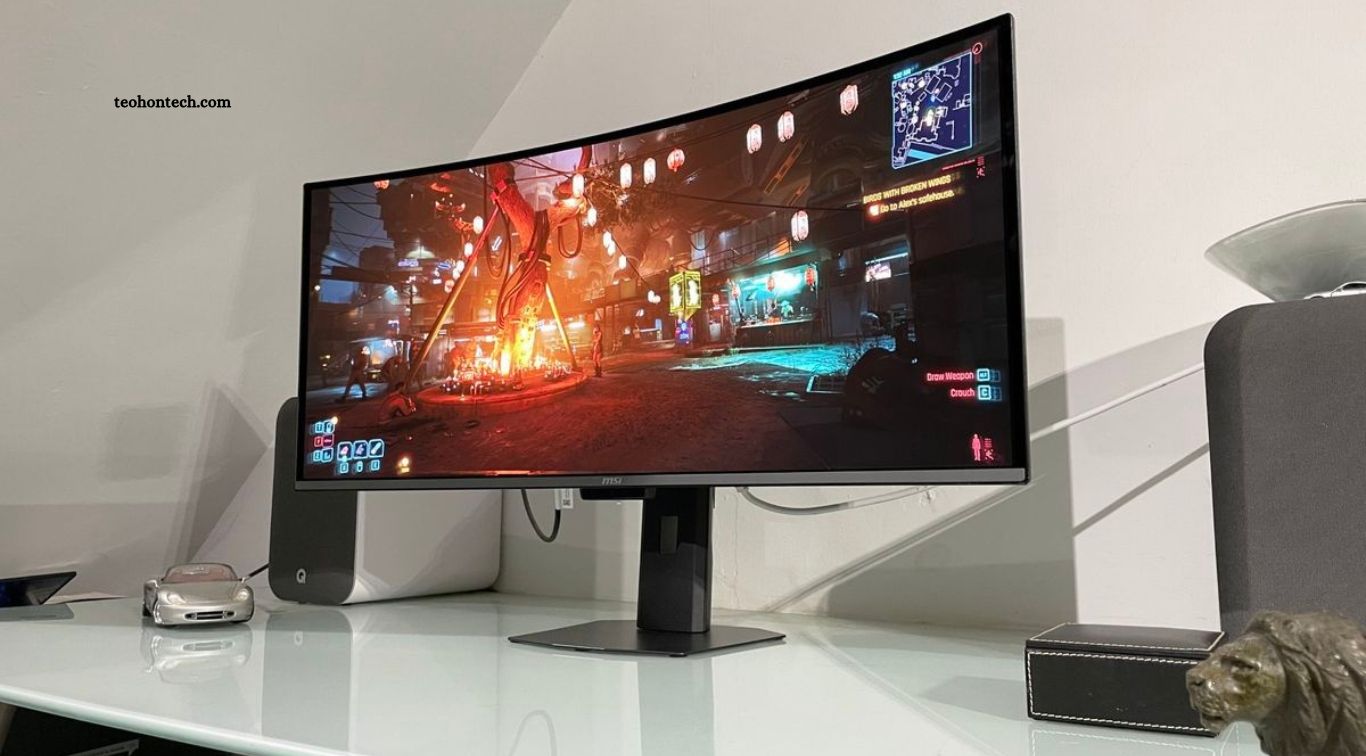
A 27 inch monitor is the sweet spot for work from home in India in 2026. It is large enough to keep two documents side by side, a browser and a spreadsheet open at once, or a video call window next to your work, without the desk space and cost of a 32 inch screen. A 24 inch monitor often feels cramped for spreadsheets and coding, while a 27 inch screen at the right resolution feels like a real productivity upgrade.
The challenge is choosing the right 27 inch monitor, because price, resolution, ports and eye care features vary a lot. A cheap 27 inch Full HD monitor can look soft and blurry for text, while a good QHD monitor under Rs 15,000 can look sharp and last for years. This guide compares the best options at different budgets, explains what each specification really means, and helps you pick the right monitor for your work, your desk and your laptop.
Quick picks if you are in a hurry
For most work from home buyers in India, a 27 inch QHD monitor under Rs 15,000 is the best value. The Acer SA272U P1, at around Rs 11,888 to Rs 12,888 in November 2026, is the value first pick, with a 144 Hz QHD IPS panel and built in speakers. The MSI PRO MP275Q, at around Rs 12,399 to Rs 13,399, is the practical pick if you connect several devices, with two HDMI ports and a DisplayPort. The LG 27U631A-B, at around Rs 14,799, is the pick if USB-C video matters to you, though it does not fully charge a laptop.
If your budget is higher, the BenQ MOBIUZ EX271Q at around Rs 24,249 gives you QHD, USB-C with more power and a KVM switch for two computers. The Dell 27 Plus 4K S2725QC at around Rs 30,999 is the 4K pick with USB-C charging and speakers. For colour accurate work, the ASUS ProArt PA279CRV at around Rs 41,599 is the premium choice.
Comparison table: the top picks
| Monitor | Approx price in India | Size and resolution | Panel | Refresh rate | USB-C | Best for |
|---|---|---|---|---|---|---|
| Acer SA272U P1 | Rs 11,888 to 12,888 | 27 inch QHD 2560 x 1440 | IPS | 144 Hz | No | Best value QHD |
| MSI PRO MP275Q | Rs 12,399 to 13,399 | 27 inch QHD 2560 x 1440 | IPS | 100 Hz | No | Multiple devices |
| LG 27U631A-B | Rs 14,799 | 27 inch QHD 2560 x 1440 | IPS | 100 Hz | Yes, 15 W | USB-C video |
| LG UltraGear 27GS65F | Rs 13,999 | 27 inch Full HD 1920 x 1080 | IPS | 180 Hz | No | Budget 27 inch |
| BenQ MOBIUZ EX271Q | Rs 24,249 | 27 inch QHD 2560 x 1440 | IPS | 144 Hz | Yes | Work plus gaming |
| Dell 27 Plus 4K S2725QC | Rs 30,999 | 27 inch 4K 3840 x 2160 | IPS | 120 Hz | Yes, 65 W | 4K work setup |
| ASUS ProArt PA279CRV | Rs 41,599 | 27 inch 4K 3840 x 2160 | IPS | 60 Hz | Yes, 96 W | Colour work |
Prices are indicative November 2026 online prices from Flipkart, Amazon India and brand stores. Prices change with sales and bank offers, so confirm the final price before you order.
Why 27 inch is the right size for most home offices
A 27 inch screen gives you about 30 percent more screen area than a 24 inch screen, which makes a real difference for office work. You can keep Gmail and a spreadsheet open side by side, or keep a video call on one side and notes on the other, without constant window switching. For coding, you can see more lines of code at once. For study, you can keep a PDF and a Word document open together.
Desk depth matters too. A 27 inch monitor needs about 60 to 70 cm of desk depth for comfortable viewing. If your desk is very shallow, sit a little further back or use a monitor arm to push the screen to the back edge. Most users sit 60 to 80 cm from a 27 inch screen, which is comfortable for long work sessions.
Resolution: QHD beats Full HD at 27 inch
Resolution is the most important choice at 27 inch. A 27 inch Full HD monitor has only about 82 pixels per inch, so text looks soft and slightly blurry, especially if you read a lot. A 27 inch QHD monitor has 2560 x 1440 pixels, which is about 109 pixels per inch, so text is noticeably sharper and you can fit more on screen.
For work from home, QHD is the right balance. It is sharp enough for documents, spreadsheets and coding, and it does not need a powerful graphics card. 4K at 27 inch is even sharper, at about 163 pixels per inch, but it costs much more and Windows scaling needs to be set correctly to keep text readable. Choose 4K only if you do photo or video editing, or if you want the sharpest text possible and your budget allows it.
1. Acer SA272U P1: best value QHD under Rs 15,000
The Acer SA272U P1 is the value first pick in this guide. It has a 27 inch QHD IPS panel at 144 Hz, HDMI and DisplayPort, integrated speakers, and a 75 x 75 mm VESA mount. In November 2026 it was listed at around Rs 12,888 on the Acer India store and around Rs 11,888 on Amazon through price trackers.
The high refresh rate makes scrolling and mouse movement feel smoother, even if you never play games. The IPS panel gives good viewing angles and colours for office work. The stand is basic and offers tilt only, so if you want height adjustment, budget for a monitor arm or a monitor stand. For pure value, no other QHD monitor under Rs 15,000 matches it right now.
2. MSI PRO MP275Q: best for multiple devices
The MSI PRO MP275Q is the practical pick for people who connect a laptop, a desktop and a streaming device to one monitor. It has a 27 inch QHD IPS panel at 100 Hz, two HDMI ports, one DisplayPort, two built in 2 W speakers and a 100 x 100 mm VESA mount. It was listed at around Rs 12,399 in a festive promotion and around Rs 13,399 in other listings in November 2026.
The 100 Hz refresh rate is smooth enough for office work and casual use, and the extra HDMI port means you do not need to swap cables. It is a good choice for a shared home office where two people use the same monitor with different laptops.
3. LG 27U631A-B: best USB-C option under Rs 15,000
The LG 27U631A-B is the pick if you want to connect a modern laptop with a single USB-C cable for video. It has a 27 inch QHD IPS panel at 100 Hz, 99 percent sRGB colour coverage, HDMI and USB-C video with up to 15 W power delivery. It was listed at around Rs 14,799 in November 2026.
The important detail is that 15 W is not enough to charge most laptops while you work. It will power the video signal and slowly charge a phone, but your laptop will still need its own charger. Buy this monitor for the convenience of one cable for video, not for laptop charging. If you need full laptop charging over USB-C, you need a monitor with at least 65 W power delivery, such as the Dell or BenQ picks below.
4. LG UltraGear 27GS65F: cheapest 27 inch, with a warning
The LG UltraGear 27GS65F, at around Rs 13,999, is a 27 inch Full HD IPS monitor at 180 Hz, with 99 percent sRGB, a pivot stand and 110 mm of height adjustment. It is a good gaming monitor, but for office work the Full HD resolution at 27 inch is a real weakness. Text will look softer than on the QHD picks above, and you will see less on screen.
Buy it only if your budget is strict and you also play games, or if you mainly watch videos rather than read documents. For most work from home buyers, the Acer or MSI QHD monitors at a similar price are better choices.
5. BenQ MOBIUZ EX271Q: best work plus gaming monitor
The BenQ MOBIUZ EX271Q, at around Rs 24,249 on Flipkart in November 2026, is the pick if you want one monitor for both work and gaming. It has a 27 inch QHD IPS panel, USB-C with KVM, and a good stand. The KVM switch lets you control two computers with one keyboard and mouse, which is very useful if you have a work laptop and a personal desktop.
It costs almost double the budget QHD picks, but you get better build quality, better ports and a more flexible stand. It suits buyers who work from home full time and want a monitor that will last for years.
6. Dell 27 Plus 4K S2725QC: best 4K work monitor
The Dell 27 Plus 4K S2725QC, at around Rs 30,999, is the 4K pick for serious home office users. It has a 27 inch 4K IPS panel at 120 Hz, 99 percent sRGB, 350 nits brightness, two HDMI 2.1 ports, a USB-C port with 65 W power delivery, a 130 mm height adjustable stand with swivel and pivot, and two 5 W speakers.
The 65 W USB-C port can charge most thin and light laptops while you work, so you can use a single cable for video, charging and data. The 4K resolution makes text extremely sharp, and the Dell three year warranty with Advanced Exchange is a strong plus for Indian buyers who want reliable after sales support.
7. ASUS ProArt PA279CRV: best for colour work
The ASUS ProArt PA279CRV, at around Rs 41,599 on Amazon India, is the pick for photo editing, design and video work. It has a 27 inch 4K IPS panel, 96 W USB-C power delivery, a calibration report in the box, and accurate colours out of the box. It is not a gaming monitor, and its 60 Hz refresh rate is fine for creative work but less smooth for fast gaming.
Buy it only if colour accuracy directly affects your work or your clients. For general office work, the Dell 4K monitor or a QHD monitor will save you a lot of money with no real loss in productivity.
What to check before you buy
Panel type matters for office work. IPS panels have the best viewing angles and colour consistency, which is why every pick in this guide uses IPS. VA panels have better contrast but can look washed out from the side, and TN panels are best avoided for office work in 2026.
Eye care features matter if you work eight hours a day. Look for flicker free backlighting and low blue light mode, which most modern monitors now include. Take a short break every hour, use proper room lighting, and set brightness to match your room rather than using maximum brightness all day.
The stand is often overlooked. A height adjustable stand lets you set the top of the screen at eye level, which reduces neck strain. If the monitor you like has only tilt adjustment, budget Rs 1,500 to Rs 3,000 for a monitor arm or a good monitor riser. Check VESA mount support before you buy an arm, because most monitors in this guide support 75 x 75 mm or 100 x 100 mm VESA mounts.
Ports decide how easily the monitor connects to your laptop. Most modern laptops have HDMI or USB-C. If your laptop has only USB-C, you need either a USB-C monitor or an adapter. If you use two computers, look for at least two HDMI ports or a KVM switch. Check the cable in the box too, because some monitors ship with only an HDMI cable and no DisplayPort cable.
Desk setup tips for work from home in India
Place the monitor at arm length distance, with the top of the screen at or slightly below eye level. Use a separate keyboard and mouse if you use a laptop as your main computer, and raise the laptop on a stand if you use it as a second screen. Keep the monitor away from direct sunlight to avoid glare, and use a light behind the monitor in the evening to reduce eye strain.
Power backup is important in many Indian cities. A monitor uses much less power than a desktop computer, but a sudden power cut can still lose unsaved work. If power cuts are common in your area, use a UPS for your monitor and router, and save your work often. A laptop with a monitor is a good combination, because the laptop battery keeps working even if the monitor loses power for a moment.
Which 27 inch monitor should you buy?
Choose the Acer SA272U P1 if you want the best value QHD monitor under Rs 15,000. Choose the MSI PRO MP275Q if you connect several devices and want extra HDMI ports. Choose the LG 27U631A-B if USB-C video matters and your budget is under Rs 15,000. Choose the BenQ MOBIUZ EX271Q if you want work plus gaming with KVM. Choose the Dell 27 Plus 4K S2725QC if you want 4K, USB-C charging and a great stand. Choose the ASUS ProArt PA279CRV only if colour accuracy is essential for your work.
For most work from home buyers in India in November 2026, the Acer SA272U P1 is the smartest buy. It gives you sharp QHD text, smooth scrolling and a low price, and the money you save can go towards a good monitor arm, keyboard or chair.
FAQ
Is 27 inch too big for work from home?
No, 27 inch is the sweet spot for most home offices. It lets you keep two windows side by side without feeling cramped, as long as your desk is at least 60 cm deep and you sit 60 to 80 cm from the screen.
Is QHD better than Full HD for a 27 inch monitor?
Yes. At 27 inch, Full HD text looks soft because the pixels are large. QHD is noticeably sharper and shows more on screen, which helps with documents, spreadsheets and coding.
Do I need USB-C on a monitor?
You need USB-C only if you want to connect a modern laptop with a single cable. For video only, 15 W USB-C is enough. For charging your laptop too, you need at least 65 W USB-C power delivery.
What is the best 27 inch monitor under Rs 15,000 in India?
The Acer SA272U P1 is the best value pick under Rs 15,000, with a QHD IPS panel at 144 Hz and a price of around Rs 11,888 to Rs 12,888 in November 2026. The MSI PRO MP275Q is the best alternative if you need more ports.
Is a 144 Hz monitor useful for office work?
Yes, a higher refresh rate makes scrolling and mouse movement feel smoother, even for office work. It is not essential, but it is a nice bonus at the same price, and it also helps if you play games after work.
How long does a monitor last?
A good monitor usually lasts five to seven years or more with daily use. Buying a QHD IPS monitor from a brand with good service in India, such as Dell, LG, Acer or BenQ, is a better long term choice than buying the cheapest unknown brand.
Conclusion
A 27 inch monitor is one of the best productivity upgrades for work from home in India, and QHD is the resolution to aim for in 2026. The Acer SA272U P1 gives you the best value under Rs 15,000, the MSI PRO MP275Q gives you the best port selection, and the Dell 27 Plus 4K S2725QC is the best premium work monitor with USB-C charging. Check your desk space, your laptop ports and your real work needs before you order, and do not pay extra for gaming features you will never use. A careful choice now will make every workday more comfortable for years.
